
How to Choose the Best Wireless Office Headset
Table of Contents
Choosing a Wireless Office Headset is not just a matter of finding clear sound. It means matching comfort, microphone performance, battery life, and connectivity to the way people actually work. Microsoft’s 2023 Work Trend Index surveyed 31,000 people across 31 countries. In that report, 68% said they lacked enough uninterrupted focus time during the workday. A headset cannot solve every interruption, but it can make calls clearer and help reduce nearby office noise.
Start with the details you notice after several hours: pressure around the ears, heat beneath the cushions, and whether the microphone picks up keyboard clicks. Small details count. For shared offices, compare microphone noise reduction and wireless range, then check whether the headset switches reliably between a computer and phone. Battery claims also need context; talk time, standby time, and charging speed are different measures. Microsoft’s findings describe workplace challenges, not headset performance, so they should not be treated as proof that one model improves productivity. That distinction is easy to miss.
The best choice depends on real use, not the longest feature list. Teams with frequent calls may value a boom microphone and simple mute controls. People moving between desks may prioritize lightweight construction and dependable connection. Try the fit if possible, and check warranty terms and compatibility before buying. A perfect headset does not exist. But a well-matched one can make a noisy Tuesday feel a little less tiring.
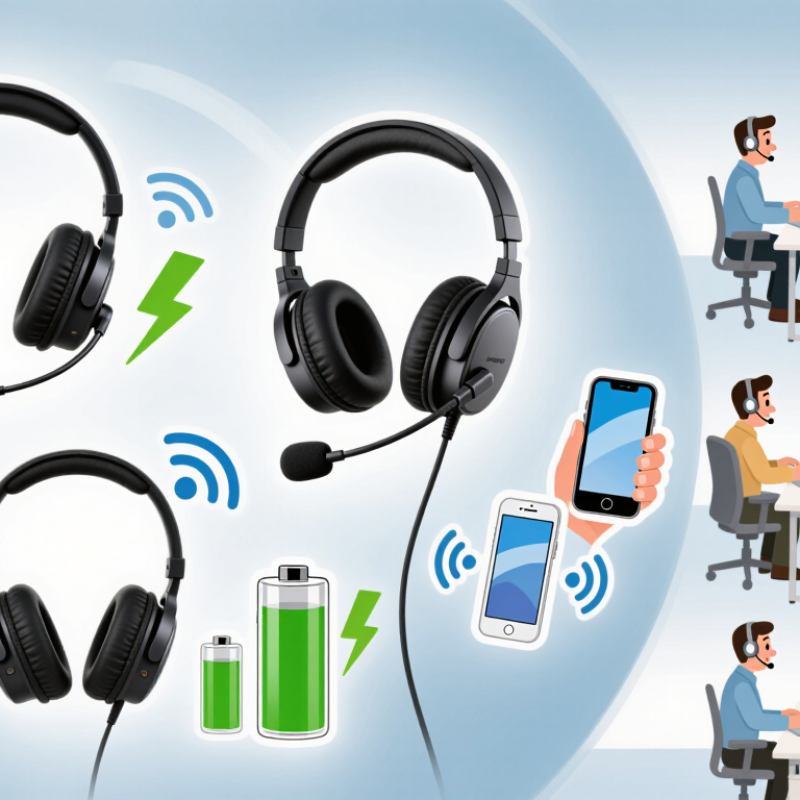
Define Your Office Tasks and Headset Requirements
Before comparing wireless office headsets, map out what your workday actually involves. Do you spend hours on video calls, answer short customer queries, or move between a desk and meeting rooms? These tasks need different features. Frequent calls make a clear microphone and easy mute control especially useful. A quieter desk may suit a lightweight, single-ear headset, while a busy shared office may call for stereo audio and a microphone that reduces background noise. That feature can help, but it will not erase every nearby conversation.
Next, turn your routine into practical requirements. Check whether the headset connects to your computer and phone, and whether its connection stays reliable at your usual working distance. If you walk to a printer or meeting room, test that range rather than relying on a product description. Consider comfort over a full workday, battery life across your longest shift, and controls you can find without looking. A small mistake is choosing only by sound quality; a heavy headset can become distracting by mid-afternoon. I might still overlook comfort during a quick shop-floor test, so wear it for longer if possible.
Tips: Write down your three most common tasks before shopping. Try the microphone from your actual desk, with normal office noise in the background. Check the fit after an hour, not just a few minutes. If your needs change through the day, prioritize a headset that switches devices simply.
Compare Wireless Connection Types and Compatibility
Choosing a wireless office headset starts with the connection, not the ear cushions. Bluetooth is convenient for laptops and phones, but pairing support does not guarantee every call-control feature will work. Check the headset’s supported Bluetooth profiles, operating-system requirements, and whether its microphone works reliably with your meeting software. A USB receiver can offer simpler setup and steadier performance in a busy office. DECT models often suit fixed desks and longer range, but usually depend on a dedicated base. Range claims can mislead: walls, metal cabinets, and neighboring wireless devices change the result. Test from your actual desk.
The Bluetooth SIG’s 2024 Market Update reports about 5.4 billion Bluetooth device shipments in 2023 and forecasts 7.1 billion annual shipments by 2028. That scale makes Bluetooth common, not universally compatible. Before buying, confirm whether the headset connects directly or needs its supplied receiver, supports simultaneous connections if you switch between phone and computer, and has a replaceable receiver available. Ask IT to check security and device-management requirements, too. Small details matter. A headset may play audio while its mute button fails in a call app. That is easy to overlook, and I would test it before rollout. Keep a short compatibility checklist; it will not catch every glitch, but it prevents many avoidable surprises.
How to Choose the Best Wireless Office Headset
Compare Wireless Connection Types by Range
Bluetooth Class 2 devices typically have a range of about 10 meters, while DECT systems can reach up to about 100 meters in ideal conditions. Walls and other sources of interference can reduce actual range. For compatibility, confirm that the headset connects to your computer or phone, and check whether your desk phone requires a compatible base or adapter.
Evaluate Comfort, Microphone Quality, and Battery Life
Comfort is not a showroom impression; it is a two-hour meeting test. Check whether the headband presses on your crown and whether the ear cups trap heat. If you wear glasses, notice any pressure where the arms meet the cushions. Small details matter. Soft padding may feel pleasant at first, then become warm during a long call. A lighter headset can help, though an unstable fit may distract you when you turn your head. Try adjusting the band and moving around before deciding. Comfort is personal, and one quick try-on rarely tells the whole story.
For microphone quality, test your voice in the rooms where you actually work. Record a short call beside a laptop fan, then listen for muffling, sharp “s” sounds, and background noise. Ask a colleague whether your voice stays clear when you turn away from the microphone. A quiet-room test can mislead. Noise reduction may soften your voice along with nearby sounds, so clarity matters more than impressive claims. Battery life also depends on volume, call time, and wireless settings. Compare the stated runtime with your typical workday, and check how quickly the headset recharges. A low-battery warning is useful; an unclear one is not. It is easy to focus on maximum runtime and overlook charging habits. A headset that lasts all day on paper may still need a midday charge in your routine.
How to Choose the Best Wireless Office Headset — Evaluate Comfort, Microphone Quality, and Battery Life
Compare common wireless headset configurations. Specifications are typical ranges, not guarantees; actual performance varies by model, settings, fit, and environment.
| Headset Type | Comfort Considerations | Microphone Quality | Typical Talk Time | Typical Wireless Range | Best Fit |
|---|---|---|---|---|---|
| Single-ear DECT | Often lightweight, with one ear uncovered for awareness. Check the headband pressure and whether the ear cushion stays comfortable during long calls. | A boom microphone positioned near the mouth generally gives clear speech pickup. Noise-reduction performance varies; it does not eliminate all background sounds. | About 8–15 hours per charge | DECT systems may advertise up to about 100 m (330 ft) in ideal conditions; walls and interference can reduce usable range. | Call-heavy work where staying aware of nearby people is useful. |
| Dual-ear DECT | Provides sound in both ears and can help reduce distractions. Typically heavier than single-ear designs, so weight and ear-pad fit matter. | A boom microphone usually supports consistent voice pickup. Look for tested background-noise reduction if working in a shared space. | About 8–12 hours per charge | DECT systems may advertise up to about 100 m (330 ft) in ideal conditions; indoor range is commonly lower. | Focused calling in offices where freedom to move away from the desk is important. |
| Bluetooth on-ear | Usually compact and lighter than many over-ear models. On-ear pressure can become uncomfortable for some people during extended wear. | Microphone performance ranges from basic call pickup to multi-microphone noise reduction. A boom mic often keeps voice pickup more consistent. | About 15–30 hours, depending on model and features | Often around 10 m (33 ft) for typical Bluetooth Class 2 operation; obstacles can shorten the connection distance. | Flexible use with a computer and mobile devices, especially for moderate call volumes. |
| Bluetooth over-ear | Over-ear cushions distribute contact around the ears and may feel comfortable for long sessions. Heat, clamping force, and total weight are worth checking. | Built-in microphone arrays can reduce some ambient noise, but performance depends on design and surroundings. Test voice clarity in the actual work environment. | About 20–40 hours, depending on model, volume, and noise-cancellation use | Often around 10 m (33 ft) for typical Bluetooth Class 2 operation; walls and other obstacles may reduce range. | People who prioritize all-day listening comfort and use the headset for calls and audio. |
| Bluetooth headset with USB adapter | Fit depends on whether the headset is on-ear or over-ear. A dedicated computer adapter can simplify connection but does not change comfort. | A compatible adapter can improve computer call integration; microphone clarity still depends on the headset’s microphone design and noise processing. | About 15–35 hours, depending on headset and usage | Often around 10 m (33 ft) with typical Bluetooth Class 2 operation; the adapter and surrounding environment affect reliability. | Computer-based calling when a dedicated wireless connection and occasional mobile-device use are both needed. |
Selection tip: For frequent calls, prioritize a comfortable fit and a well-positioned boom microphone. Check talk-time specifications with the features you plan to use, and treat advertised wireless range as an ideal-condition figure.
Check Controls, Durability, and Workplace Features
Choose controls you can use without looking down. A raised mute switch, clear volume buttons, and a visible call indicator help during back-to-back meetings. NIOSH’s Criteria for a Recommended Standard: Occupational Noise Exposure sets an 85 dBA recommended limit for an eight-hour workday. This is an occupational-noise benchmark, not a headset-specific safety rating. Still, it makes adjustable volume and clear audio alerts worth checking.
For durability, inspect the headband hinges, replaceable ear cushions, cable joints, and charging contacts. These small parts often face daily wear. Workplace features matter, too: a noise-reducing microphone can help keep keyboard clicks out of calls, while multipoint connection can switch between a computer and phone. Check that the headset works with your meeting software and offers a reliable mute function. Wireless range varies with walls and office interference, so test it in the actual room. A claimed long battery life may not match a full day of calls.
Tips: Try the controls while wearing the headset. Walk to the far end of your office during a test call. Listen for dropouts and ask a colleague whether your voice sounds clear. Don’t judge comfort in a two-minute fitting; pressure may build later.
Match Your Budget to Support and Warranty Needs
A wireless office headset is more than a headset and a price tag. Match its cost to the support you may need after daily use. A lower-priced model can work well for occasional calls, but check whether replacement ear cushions, charging cables, or batteries are available. For a busy support desk, quick access to troubleshooting help may matter more than a small upfront saving. Ask how support works: Is there a clear contact route, and are response times explained?
Read the warranty before buying. Check its length, what parts it covers, and whether accidental damage is excluded. A warranty that covers manufacturing faults may not cover wear from constant use. Keep the receipt and note the purchase date; small details can save time if a fault appears. Terms vary, so confirm them in writing rather than relying on a sales conversation. I’ve seen people overlook this. It is easy to do.
Tips: Compare the headset’s total cost over two or three years, including likely accessories. Ask whether a loaner is available during repairs. If a team shares devices, clarify who handles claims and keeps warranty records. For a one-person home office, basic support may be enough. For several employees, predictable service can justify paying more—though not every premium support plan proves worthwhile. Check the details against your actual call volume.
FAQS
Wear it for a longer call, not just a quick try-on. Check crown pressure, warm ear cups, and discomfort around glasses. Move your head, too.
Notice whether the cushion presses the arms of your glasses against your head. A few minutes may not reveal pressure that builds during a meeting.
Record a short call beside your laptop fan. Listen for muffled speech, sharp “s” sounds, and background noise. Ask a colleague if your voice stays clear when you turn away.
Not necessarily. Noise reduction can soften your voice along with nearby sounds. Clear speech matters more than an impressive feature description.
Compare stated runtime with your usual call hours, volume, and wireless settings. Check recharge time and whether the low-battery warning is easy to understand. Maximum runtime can be misleading.
Consider likely costs over two or three years, including replacement cushions, cables, or batteries. Small parts add up.
Check the warranty length, covered parts, and exclusions for accidental damage or everyday wear. Keep the receipt and purchase date. Confirm terms in writing.
Often, yes. A busy desk may need quick troubleshooting and a loaner during repairs. For one person, basic support may be enough. I might still overlook this.
Conclusion
Choosing the right Wireless Office Headset starts with understanding how you work. Consider whether you mainly take calls, join online meetings, move between rooms, or need to focus in a busy shared space. Then compare wireless connection options and confirm that the headset will work smoothly with your computer, phone, and communication tools.
Comfort, clear microphone performance, and battery life matter when you wear a headset throughout the day. Look for easy-to-use controls, durable construction, and useful workplace features such as noise reduction or a convenient mute function. Finally, set a budget that accounts for the headset’s expected lifespan, available support, and warranty coverage. Weighing these needs together can help you select a dependable headset that fits your daily routine without paying for features you do not need.

Blog Tags: