
How to Choose the Best Wireless Home Soundbar Speaker?
Choosing a Wireless Home Soundbar Speaker is not simply a matter of buying the model with the most channels or the biggest bass claim. The right choice depends on your room, television, listening habits, and budget. A compact apartment setup may need clear dialogue at low volume, while a larger living room may benefit from a separate subwoofer. Small details matter. Check the soundbar’s width against your TV stand, confirm its connection options, and consider whether you need Bluetooth, Wi-Fi, or both. HDMI eARC can simplify television audio connections, but your TV must support it too. Compatibility is easy to overlook.
This guide explains how to compare sound quality, connectivity, size, and useful features without treating marketing language as proof. Look for independent testing and clear specifications, then listen to familiar dialogue and music when possible. Notice whether voices stay distinct during busy scenes, and whether bass feels controlled rather than overwhelming. A demonstration in a shop may not match your home. Room shape, furniture, and placement can change the sound. One caveat: published specifications cannot fully predict how a speaker will perform in your space. Even a well-reviewed bar may sound thin beside a large sofa or too forceful in a small room. A little uncertainty is normal. Use the criteria here to narrow your options, then weigh the trade-offs against how you actually watch and listen.
Identify Your Listening Needs and Room Size
Before comparing features, decide what you want to hear most clearly. If films and dialogue are your priority, look for clear speech and adjustable dialogue settings. For music, check whether the soundbar keeps vocals and instruments distinct at moderate volume. Wireless playback is convenient, but the speaker still needs power, and walls or nearby devices can sometimes affect the connection.
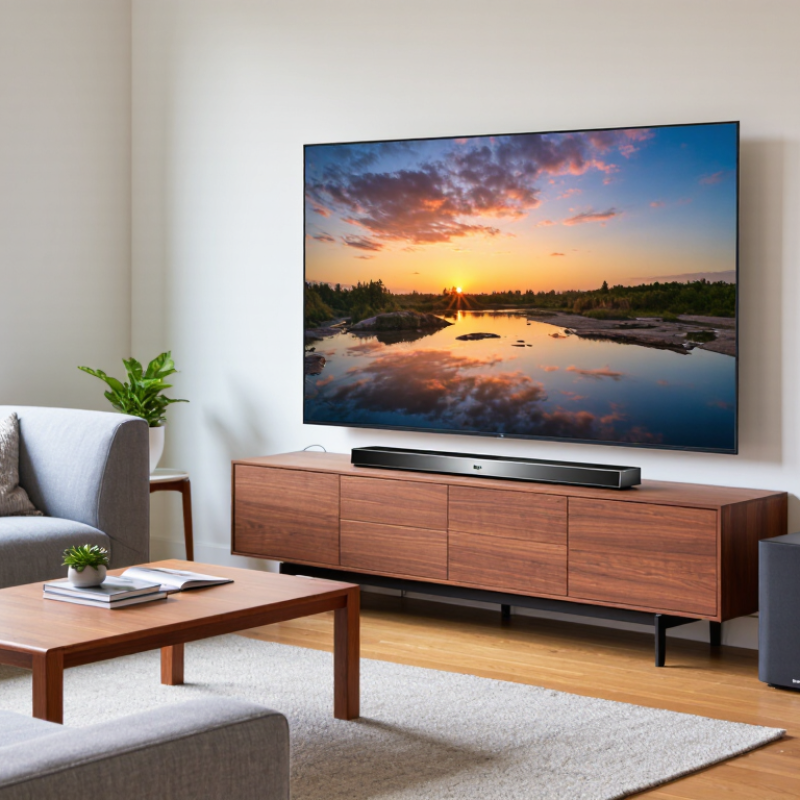
Room size matters. In a small bedroom, a compact soundbar may fill the space without overwhelming it. A larger living room, especially one with an open layout, may need more output or a separate subwoofer for fuller sound. Measure the distance between the soundbar and your usual seat. Also note where the TV, outlets, and furniture sit. I’ve found that a soundbar can look suitable online but feel too large once placed beneath a narrow screen. Measurements help, though they do not tell the whole story.
Tips: Stand or sit where you usually listen, then check whether voices sound clear at a comfortable volume. Bring room measurements when shopping. A quick phone measurement is useful, but it can be a little rough.
How to Choose the Best Wireless Home Soundbar Speaker? — Identify Your Listening Needs and Room Size
| Listening Needs | Room Size | Typical Listening Distance | Soundbar Setup to Consider | What to Check |
|---|---|---|---|---|
| TV dialogue and everyday viewing | Small room, up to about 150 sq ft (14 m²) | About 4–8 ft (1.2–2.4 m) | A compact 2.0 or 2.1-channel soundbar; a separate subwoofer is optional. | Look for a dialogue or voice-enhancement mode, clear midrange sound, and a soundbar that fits beneath the TV without blocking its screen or remote sensor. |
| TV, films, and streaming in a shared living room | Medium room, about 150–300 sq ft (14–28 m²) | About 6–10 ft (1.8–3 m) | A 3.1-channel system can provide a dedicated center channel for dialogue; consider a wireless subwoofer if you want stronger bass. | Check for HDMI eARC or ARC for convenient TV audio, plus a night or volume mode if you often watch at low levels. |
| Immersive film and television sound | Medium to large room, about 200–400 sq ft (19–37 m²) | About 8–12 ft (2.4–3.7 m) | Consider a system with upward-firing or other height-channel drivers and optional wireless surround speakers. | Dolby Atmos support alone does not guarantee convincing height effects. Room shape, ceiling height, speaker placement, and the content’s audio format also matter. |
| Music listening and casual streaming | Small to medium room, up to about 300 sq ft (28 m²) | About 4–10 ft (1.2–3 m) | Choose a soundbar with a balanced stereo presentation; Wi-Fi streaming may be useful for home playback, while Bluetooth offers a simple direct connection. | Check which streaming services and connection methods are supported. Bluetooth and Wi-Fi are different features, and neither is included on every soundbar. |
| Strong bass for action films, games, or music | Medium to large room, about 200–500 sq ft (19–46 m²) | About 7–12 ft (2.1–3.7 m) | Consider a soundbar system with a separate subwoofer; a wireless subwoofer can reduce the need to run an audio cable across the room. | “Wireless” usually describes the subwoofer’s audio connection, not its power supply. Check where the subwoofer can be placed near a power outlet. |
| Gaming and fast switching between devices | Small to medium room, about 100–300 sq ft (9–28 m²) | About 3–8 ft (0.9–2.4 m) | A compact 2.1 or 3.1-channel system may suit a desk or TV setup; connect through the TV or a compatible HDMI input. | Check HDMI passthrough and supported video formats if the soundbar will sit between a console and TV. For simpler setups, confirm the TV and soundbar support the same ARC or eARC features. |
| Apartment listening with neighbors nearby | Small to medium room, about 100–250 sq ft (9–23 m²) | About 4–9 ft (1.2–2.7 m) | A 2.0 or 3.1-channel soundbar with dialogue enhancement and a nighttime mode can be practical; a powerful subwoofer may be unnecessary. | Look for adjustable bass and night-mode controls. Bass can travel through walls and floors, so placement and listening level matter as much as the system’s specifications. |
Room-size guide: These ranges are general starting points, not strict limits. An open-plan layout, high ceiling, soft furnishings, and room shape can all affect perceived loudness and surround effects. Measure the available space and check the TV’s audio outputs before choosing.
Check TV Compatibility and Wireless Connections
Before choosing a wireless soundbar, check the television’s audio outputs and manual. HDMI ARC or eARC usually carries TV sound through one cable and can support volume control from the TV remote. The labels matter. A standard HDMI port may not support ARC. Optical audio is a useful fallback, though it may limit some advanced audio formats. Confirm that the soundbar accepts the connection your TV actually provides.
Wireless does not always mean cable-free. Many soundbars still connect to the TV by HDMI or optical cable, while sending audio wirelessly to a separate subwoofer. If you want Bluetooth audio from the TV, verify that both devices support compatible profiles and check for lip-sync delay. Voices can feel slightly late. Wi-Fi connections may offer steadier playback, but setup and support vary by model. I would test the connection with a familiar scene, not just a menu screen. Also check whether other household devices interrupt the signal. Manuals can be tedious, and I have overlooked a small compatibility note before; checking them now is less frustrating than returning a speaker later.
Compare Sound Quality, Channels, and Audio Features
Sound quality is more than bass impact. Listen to speech at low volume, then test a busy scene with rain, footsteps, and dialogue. Voices should stay clear without harsh treble. Bass should add weight, not make a cabinet or wall buzz. Room acoustics matter; hard floors can make bright sounds tiring. I would compare units in the same room, though even that test is imperfect.
Channel numbers show layout, not guaranteed quality. ITU-R Recommendation BS.775-3 describes 5.1 as five main channels plus one low-frequency effects channel. A 3.1 setup adds a dedicated center channel for dialogue, often useful when voices seem buried. More channels can create a wider field, but placement and room shape still matter. Check whether rear speakers are included or sold separately. Read the fine print.
For wireless use, confirm that the speaker supports your TV’s audio connection and can handle the formats you watch. Enhanced audio return channel can carry higher-bandwidth multichannel sound, while Bluetooth is convenient for music but may add delay with video. Useful extras include dialogue enhancement, night mode, and room calibration. Try them with a quiet conversation and a loud action scene; processing can help, but sometimes makes voices sound oddly thin.
Assess Placement, Design, and Setup Requirements
Before choosing a wireless home soundbar speaker, measure the space where it will sit. A model that fits beneath a television may still block its infrared sensor or cover the screen’s lower edge. Leave room for ventilation, and check whether the speaker can sit level on your cabinet. Small gaps matter. In a narrow room, a wide soundbar may look crowded, while a compact one may not spread sound as evenly.
Think about placement before judging the design. If the soundbar will be wall-mounted, check its mounting points and the wall’s available space. Keep the speaker near ear level when seated, if practical, and avoid trapping it inside a closed shelf. Reflective surfaces can make voices seem sharper; soft furnishings may reduce that effect. Room acoustics are easy to overlook, and I would not assume a sleek shape solves them.
Wireless setup still involves cables. Confirm that a power outlet is reachable without stretching a cord across a walkway. Check which audio connections your television supports, and whether wireless pairing is compatible with your devices. A brief setup test can reveal delays, dropouts, or awkward controls before you settle on a permanent position. Move the unit a few inches and listen again. It is a little fussy, but worth doing.
Balance Price, Reliability, and Warranty Coverage
A low sticker price can be misleading if the soundbar needs a separate subwoofer or extra cables. Compare the full setup cost, not just the price on the box. Check whether wireless playback uses Bluetooth, Wi-Fi, or both, and consider how it will work with your television and home network. Compatibility details matter. A small delay between dialogue and video can become irritating during an ordinary evening.
Reliability is harder to judge from a product page. Look for repeated owner feedback about dropped connections, overheating, and controls that stop responding after updates. A few complaints are normal; patterns are more useful. Ask whether the warranty covers parts and labor, who pays shipping, and how long repairs may take. Save the receipt and confirm the coverage period in writing. Some warranties exclude damage from spills or power problems, so read the exclusions before buying. A longer warranty may help, but it does not guarantee faster service. I would not treat one review or warranty length as proof of quality. That judgment is imperfect, and real support can vary by region.
How to Choose the Best Wireless Home Soundbar Speaker
Suggested decision weights for balancing price, reliability, and warranty coverage.
How to use this guide: Treat these weights as a starting point, not market research. Compare the total price, look for consistent long-term reliability feedback, and check the warranty term, exclusions, and repair process before buying.
FAQS
Match its size and output to the room. A compact bar may suit a small bedroom, while an open living room may need more power or a separate subwoofer. Measure your usual listening distance. Measure carefully.
Listen for speech that stays clear at a comfortable volume. Adjustable dialogue settings can help with films, but test them using a scene you know.
Measure the available space and note nearby furniture and outlets. Online photos can be misleading; a bar may look too large beneath a narrow screen.
Check the TV manual and audio-output labels. HDMI ARC or eARC can carry sound and support TV-remote volume control. Optical audio can be a fallback.
Not always. Many soundbars still use HDMI or optical cables to connect to the TV. Wireless audio may connect to a separate subwoofer instead.
Confirm that both devices support compatible Bluetooth profiles, then test a familiar scene. Voices may arrive slightly late. Check for interruptions from nearby household devices.
Compare the full setup, including any separate subwoofer and extra cables. Check whether playback uses Bluetooth, Wi-Fi, or both, and whether it works with your TV and home network.
Look for repeated reports of dropped connections, overheating, or unresponsive controls. Ask what parts and labor are covered, who pays shipping, and how long repairs may take. Reviews can mislead. Save the receipt and read exclusions; support can vary by region.
Conclusion
Choosing the right Wireless Home Soundbar Speaker starts with understanding how you listen and the size of your room. Consider whether you mainly watch films, play games, or listen to music, and choose a setup that can fill your space without overwhelming it. Before buying, check that the soundbar works with your TV and supports the wireless connections you need, while also considering any wired options that may offer a simpler or more reliable setup.
Compare sound clarity, channel configuration, and useful audio features to find a model that suits your preferences. Think about where it will sit, how it will look alongside your television, and whether installation is straightforward. Finally, weigh the price against expected reliability and warranty coverage. A well-chosen soundbar should fit your room, connect easily, and deliver satisfying sound within your budget.

Blog Tags: